Introducing a New Search Syntax in beorg 3.39 🚀
Search is at the heart of how you work with your Org files. Whether you’re tracking tasks, managing projects, or just trying to find that one headline buried somewhere, speed and precision matter.
beorg 3.39.0 introduces a brand new search syntax that’s not only far more powerful - but dramatically faster too.

⚡ Why a New Search?
Until now, searching in beorg worked by:
- Parsing each .org file (could be hundreds of files)
- Checking each headline for a match
That worked (partly due to how fast iPhones now are) — but it did slow down with lots of files.
With the new search:
- 👉 beorg queries its internal database first
- 👉 Only matching files are then loaded into memory
The result? Searches that feel (almost) instant - even across large collections of files.
🔍 How to Use It
To use the new syntax, simply start your search with /
Anything beginning with / uses the new engine.
🧠 Boolean Logic Comes to beorg
You can now build complex queries using familiar boolean operators:
ANDORNOT
(and group conditions using parentheses)
Previously whenever someone asked me how to do a more complex search I had to push them into to creating a Scheme search (not easy for non-programmers, and awkward for experts having to type in a potentially complicated line of code on a touch screen).
Example of the new syntax:
/(state:TODO OR state:INPROGRESS)
AND (tag:project OR tag:epic)
AND NOT priority:C
This finds:
- Active tasks (TODO or INPROGRESS)
- That belong to a project or epic
- But are not low priority (assuming C is the lowest priority you assign)
🏷️ What Can You Search?
You can filter headlines using a range of keywords:
state:TODOpriority:Alevel:1(top-level headlines)tag:shopping(the headline has the tag shopping)itag:shopping(the headline’s ancestor has the tag shopping)ftag:shopping(the headline is in a file, which has the file tag shopping)prop:author=dickensfile:inbox
This gives you precise control over exactly what you’re looking for - especially when combined using boolean operators.
If a keyword isn’t matched, then it assumes you want to search the text within the headline or the notes attached to the headline. For example, to search for open tasks where the word cat appears:
cat AND state:TODO
If you need to use double-quotes to search for a phrase, or with a property keyword - for example prop:"author=charles dickens".
All searches are case-insensitive.
📅 Date Filtering
You can search based on planning dates:
scheduleddeadlineactive(orshowon)date(matches any of the above)
These support flexible date expressions. Examples:
todaytomorrow+3d(in exactly 3 days)-1w(exactly 1 week ago)2026-04-12today..+1w(range)>today(anything after today)<=yesterday(anything yesterday or earlier)
Example Query:
/scheduled:today..+1w
Finds everything scheduled in the next week.
The new search syntax will only match the exact planning date, and won’t match any future dates implied by a repeater. This limitation may be addressed in the future.
📊 Grouping Your Results
By default, results (on the Tasks tab) are grouped by file—but you can change that:
group:filegroup:prioritygroup:taggroup:state
This makes it easier to view results in a way that matches how you think.
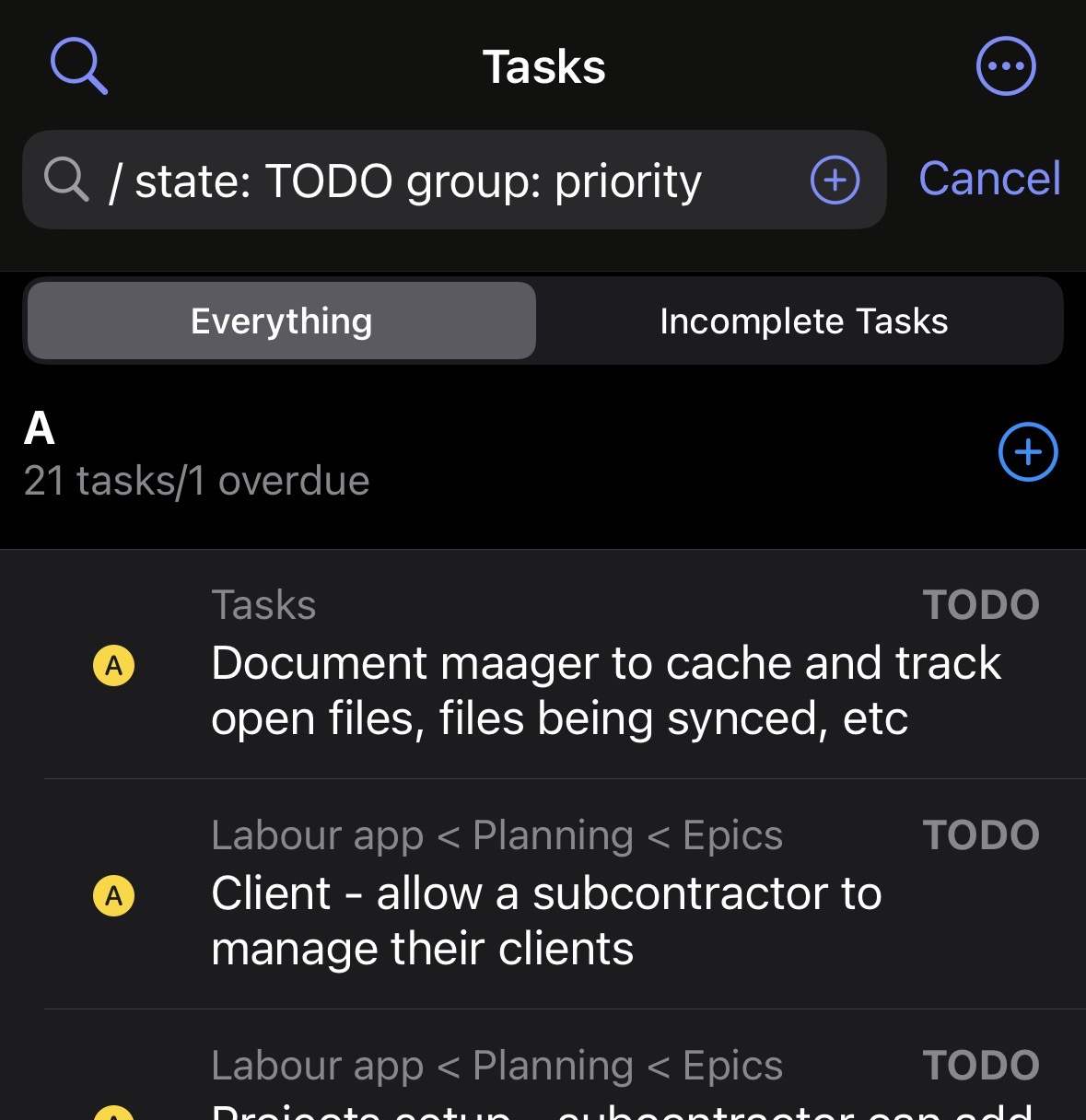
You can only use
groupon the Tasks tab, and can’t be used on its own.
🔽 Sorting Results
You can also control ordering:
order:>deadlineorder:>scheduledorder:>priorityorder:>headlineorder:>file
Use > for ascending and < for descending.
ordercan’t be used on its own.
🧩 Putting It All Together
Here’s a more advanced example:
/(state:TODO OR state:INPROGRESS)
AND tag:project
AND scheduled:today..+1w
order:>scheduled
group:priority
This gives you:
- Active project tasks
- Scheduled in the next week
- Sorted by scheduled date
- Grouped by priority
Note that boolean operators are not used with order and group.
🎯 Why This Matters
This new search system brings three major benefits:
- Speed
Searches are dramatically faster thanks to the database-backed approach.
- Power
Boolean logic and structured filters let you express exactly what you want.
- Flexibility
Grouping and ordering make results easier to work with.
This is a big step forward for working with large or complex Org setups in beorg.
Give it a try - and start your next search with /.
If you are ready to use this new syntax fulltime you can get beorg to automatically add the \ when you start a new search:
- Go to the Settings tab
- Tap the Customize UI button (the two cogs at the top of the screen)
- Under the SEARCH heading, select Default to advanced search syntax and set it to on

Alternatively if you don’t have the Customize UI extension you can set
filter-default-to-advancedin your Scheme init.org file.
If you have any feedback or want to report a bug regarding this new syntax, please get in contact via Mastodon or submit a ticket in the support center.